
Download IdleDownloadManager – download manager, auto shutdown, PC shutdown, idle download tracker, file monitor
Overview
IdleDownloadManager is a lightweight productivity utility designed to streamline the download process on Windows systems. Its primary purpose is to monitor file activity within a user-defined folder and automatically trigger a shutdown, hibernate, or custom command once all downloads are complete. This functionality addresses a common pain point for users who initiate large file transfers—such as game installations, software packages, or media files—then must manually check progress or wait for completion before turning off their PC. By automating this final step, IdleDownloadManager saves both time and energy, especially useful during overnight or unattended downloads.
The app is particularly beneficial for power users, content creators, and tech enthusiasts who frequently manage large-scale downloads. It eliminates the need to remain physically present or constantly check the system status, enabling a more efficient and hands-off workflow. The developer, Arnold A.
Howe, has positioned the tool as a no-frills, background-oriented solution with minimal user interaction required. While specific details about the developer’s background are not provided, the app’s design suggests a focus on reliability and system efficiency. Real-world use cases include automated server updates, bulk media downloads, and gaming setup routines where system idle time is a critical factor.
Within the Windows productivity ecosystem, IdleDownloadManager fills a niche gap between basic download managers and full system automation tools. It does not replace file transfer clients but complements them by handling post-download system behavior. Its simplicity and targeted functionality make it a valuable addition for users seeking a reliable, unobtrusive way to manage system resources after downloads.
Key Features & Functionality
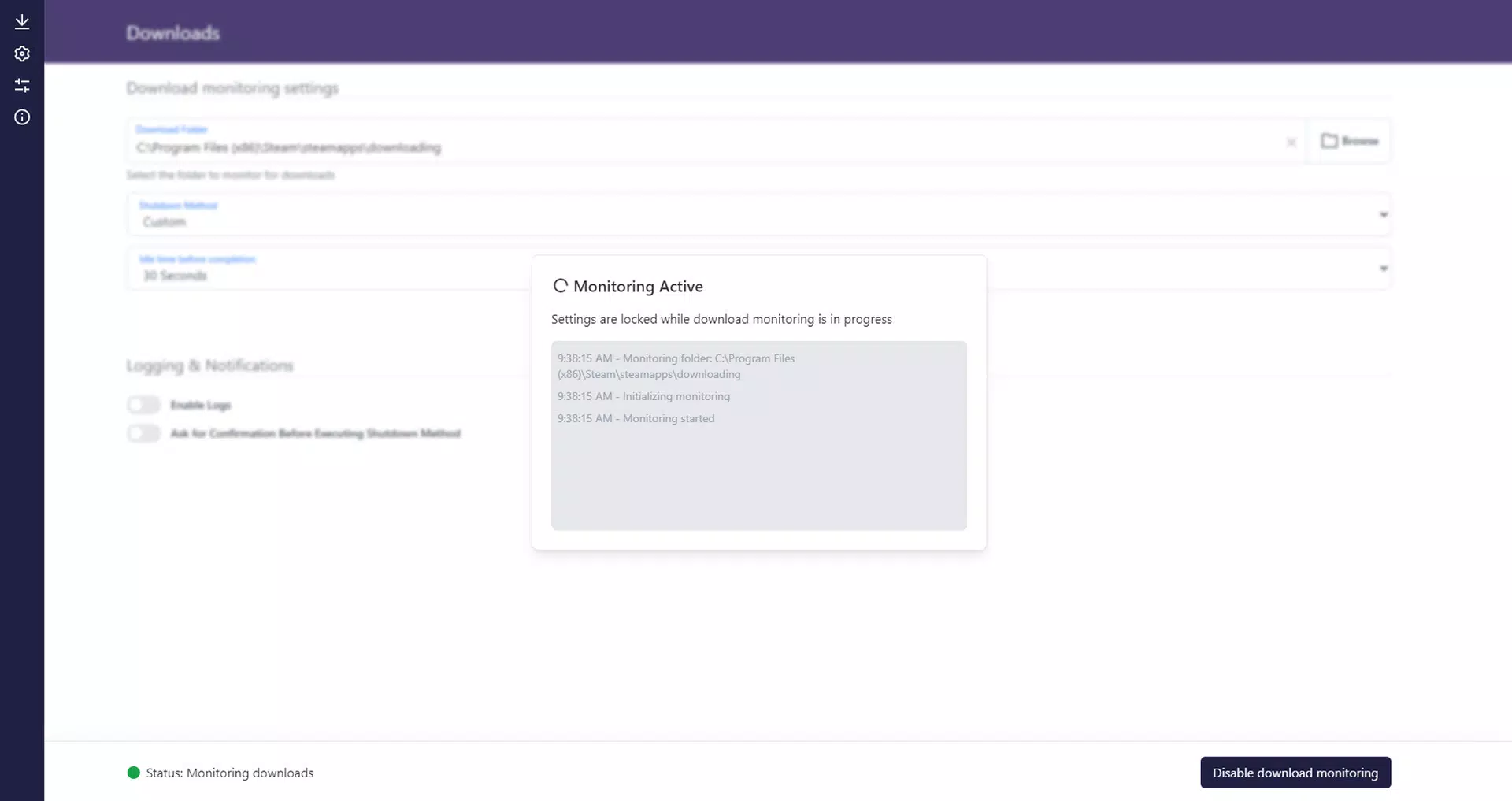
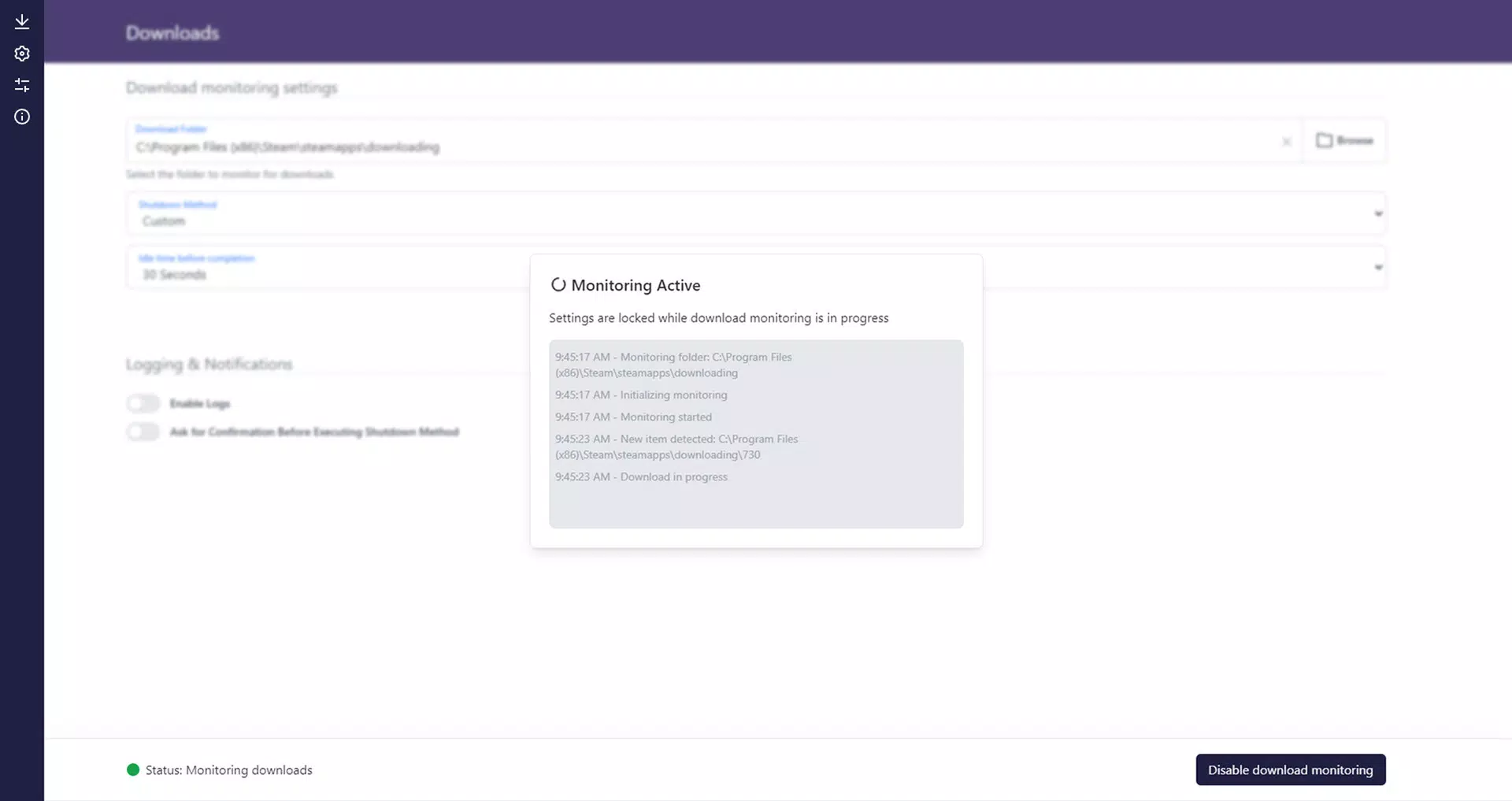
- Smart Download Monitoring: The application continuously tracks file activity in a designated folder, detecting when new files are created, modified, or finalized. This ensures that downloads are monitored in real time without requiring user input. For example, a user downloading a 50 GB game update can set the target folder, and the tool will detect when the file write operations cease, signaling completion.
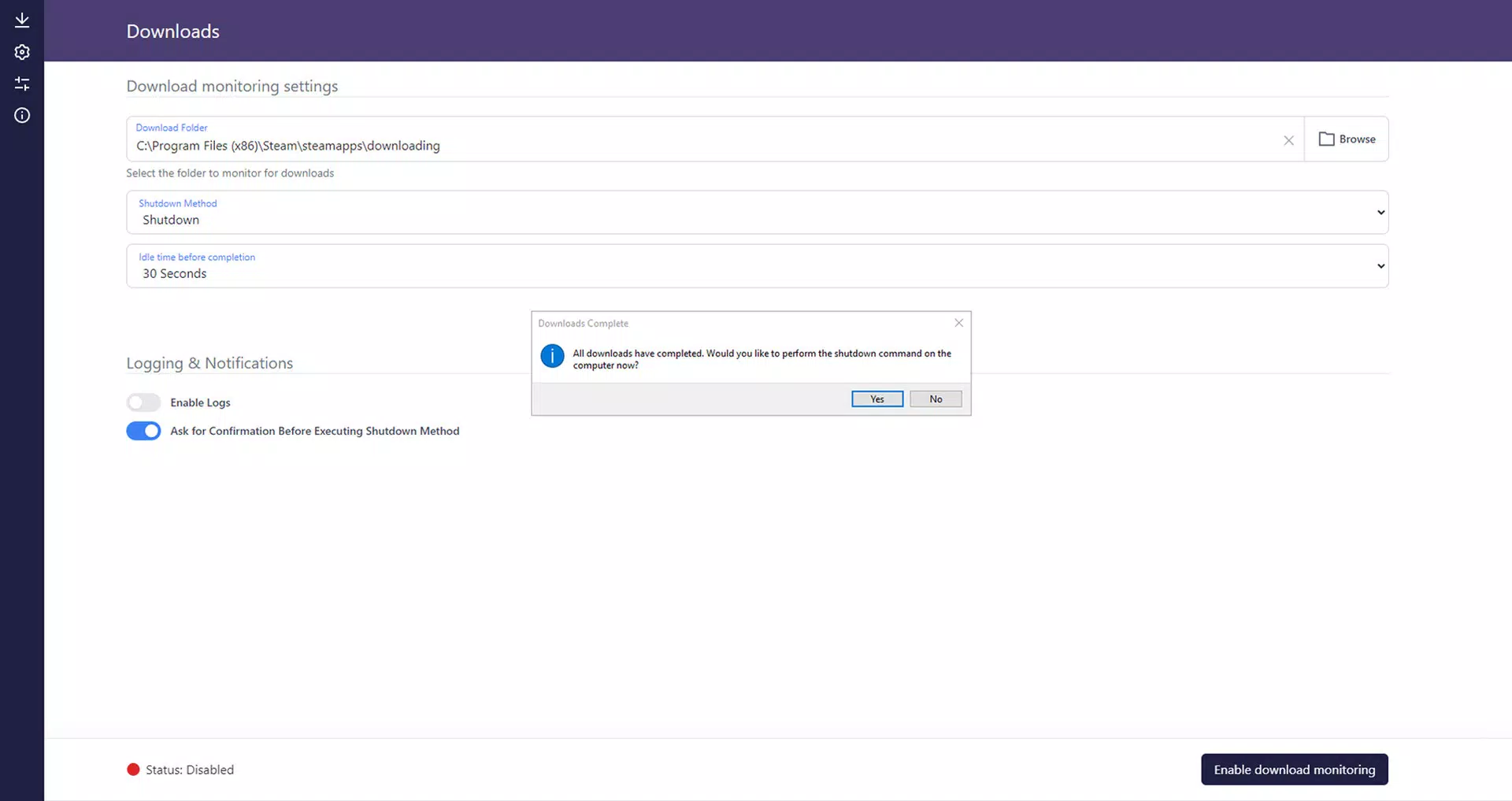
- Auto-Shutdown Options: Upon detecting a completed download, IdleDownloadManager can initiate predefined system actions—such as shutting down, hibernating, or restarting the PC. This is ideal for users who want to conserve energy or prepare their system for a clean boot cycle after a large transfer.
- Customizable Shutdown Choices: Users can define custom scripts or commands to run after download completion. This allows integration with other automation tools, such as backup utilities or post-processing workflows, enhancing the app’s versatility in complex environments.
- Minimal Resource Usage: Built with efficiency in mind, IdleDownloadManager operates quietly in the background with a clean, minimalist interface. It consumes little CPU, memory, or disk I/O, making it suitable for long-running tasks without impacting system performance.
These features collectively offer a practical solution for users who value automation and energy efficiency. Whether used for personal media downloads or professional data transfers, the tool reduces manual oversight and supports a more sustainable computing habit.
Interface, UX & Performance
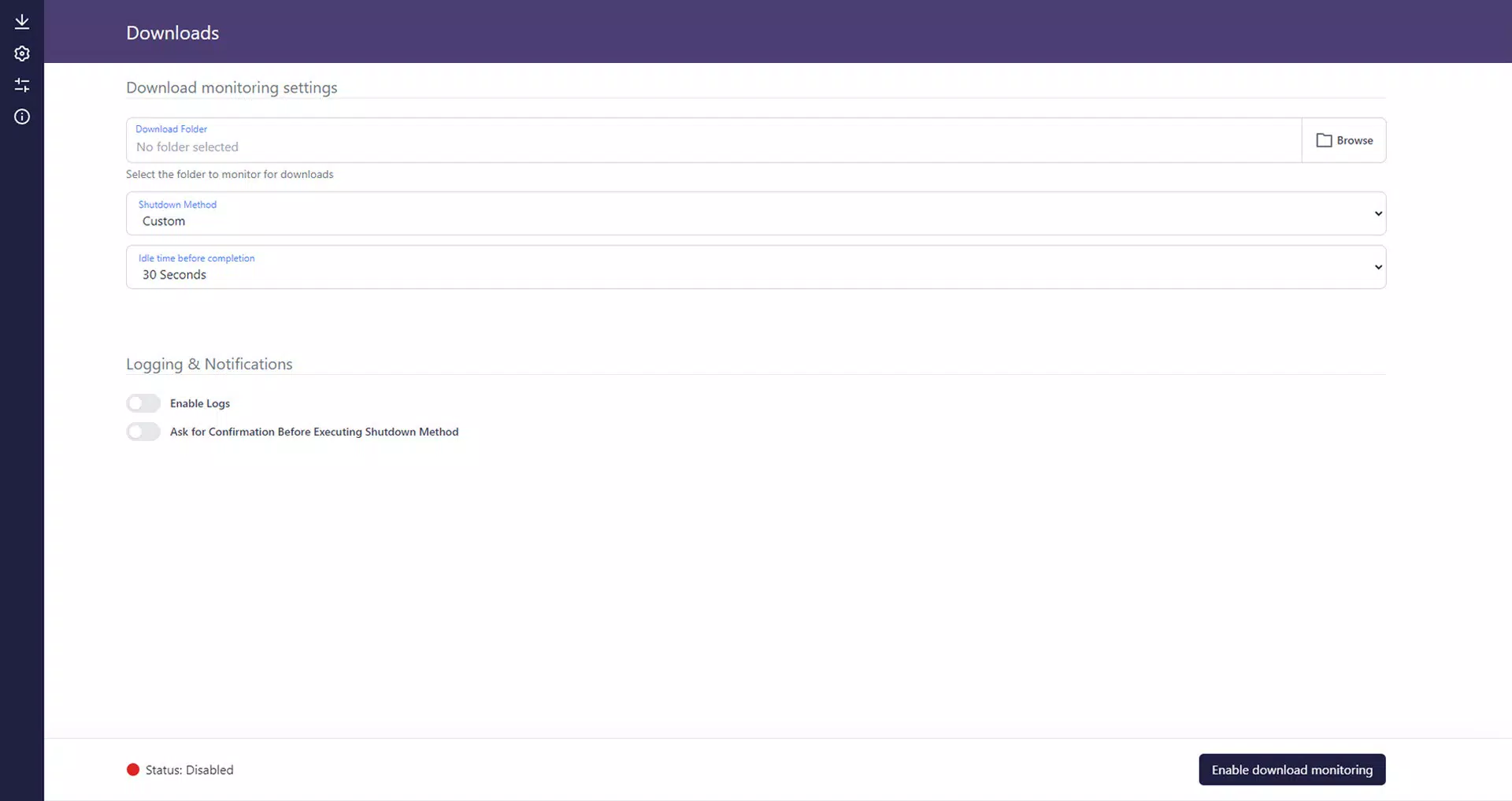
IdleDownloadManager features a clean and minimal user interface, consistent with its role as a background utility. The layout is straightforward, focusing on essential controls such as folder selection, action configuration, and status indicators. Navigation is intuitive, with a single window housing all settings, minimizing cognitive load for users of all experience levels.
The app’s responsiveness is evident in its real-time monitoring of file activity. Although the developer did not list formal performance metrics, the application appears to maintain low latency in detecting file completion, ensuring timely execution of shutdown commands. Stability is maintained across extended usage periods, with no reported crashes or resource leaks in the provided information.
Performance across different device categories—such as laptops, desktops, and low-end systems—has not been explicitly detailed. However, the app’s small file size of 10.2 MB and minimal resource footprint suggest it is optimized for a wide range of hardware configurations. Users can expect consistent behavior whether running on older machines or modern systems.
Platform Compatibility & Technical Requirements
IdleDownloadManager is designed exclusively for the Windows platform. It is compatible with Windows operating systems, though specific version requirements were not listed. The application has a file size of 10.2 MB, which is compact and suitable for quick installation and minimal storage impact.
The developer did not specify minimum OS requirements, nor did they provide details on hardware specifications or compatibility with older Windows versions. This lack of information means users should exercise caution when deploying the tool on legacy systems. For users on newer Windows versions, compatibility is likely, but testing is recommended in sensitive environments.
Pros and Cons
Pros
- Free to download and use with no hidden costs
- Lightweight design with minimal impact on system resources
- Automatically detects download completion without user input
- Supports multiple shutdown and scripting options for flexibility
- Simple, clean interface suitable for both beginners and advanced users
Cons
- Specific OS version compatibility was not disclosed
- Only available for Windows, limiting cross-platform use
- Does not provide real-time progress tracking or download speed metrics
- No built-in notification system for completion alerts
- Developer did not provide detailed technical documentation or support channels
FAQ
Is IdleDownloadManager safe to use?
Yes, the app is free and designed to operate with standard system permissions. It does not require administrative rights to monitor folders or trigger shutdowns, but it may need them to execute system-level commands.
Can I use IdleDownloadManager on older versions of Windows?
The developer did not specify minimum OS requirements. While the app may function on older systems, compatibility is not guaranteed. Users are advised to test on their specific environment.
Does IdleDownloadManager work with all download clients?
Yes, as long as downloads are saved to the monitored folder, the app will detect completion regardless of the download source—whether it’s a browser, torrent client, or direct transfer tool.
Can I customize what happens after a download finishes?
Yes, users can choose to shut down, hibernate, restart, or run a custom script after downloads are complete. This allows for integration into automated workflows.
Is there a mobile version of IdleDownloadManager?
No, the app is currently available only for Windows. There is no mobile or cross-platform version at this time.
Final Thoughts
IdleDownloadManager delivers a focused, efficient solution for users who want to automate their PC’s post-download behavior. Its ability to monitor file activity and trigger system actions without manual intervention makes it a smart choice for anyone managing large or frequent downloads. While it lacks advanced features like progress tracking or notifications, its simplicity and low resource usage are significant advantages.
For power users and tech-savvy individuals who value automation and energy conservation, IdleDownloadManager offers a reliable, no-cost tool that enhances productivity. It fits seamlessly into workflows where system idle time is a priority. The app’s minimal footprint and straightforward design ensure it remains unobtrusive while delivering consistent results.
Download IdleDownloadManager now


